
Start here
Create an account
League Administrator
Member
Official
Create a league
Navigation
Home
Add members
Teams
Attendance settings
Attendance
Roles and Permissions
Edit roles and permissions
Practice sessions
Training programs
Games
Attendance
Officials
Statistics
Calendar
Meetings
Groups
Members
Minimum skills
Discussions
Resources
Tasks
Membership fees
Assignments
Knowledge base
Announcements
Access rights
Settings
Account
Notifications
Attendance
Roles and permissions
Access rights
League
Seasons
Officials
Junior Members
Switch league
Delete my Account
Knowledge base
Trackkarma’s Knowledge base feature allows you to gather, structure, and share all essential information for your league in one place. Whether it’s internal procedures, strategic guides, or administrative notes, the Knowledge base serves as a centralized repository of your league’s knowledge and prevents this information from being scattered across multiple external services.
Browse the Knowledge base
To access your league’s Knowledge base, go to the Knowledge base menu.
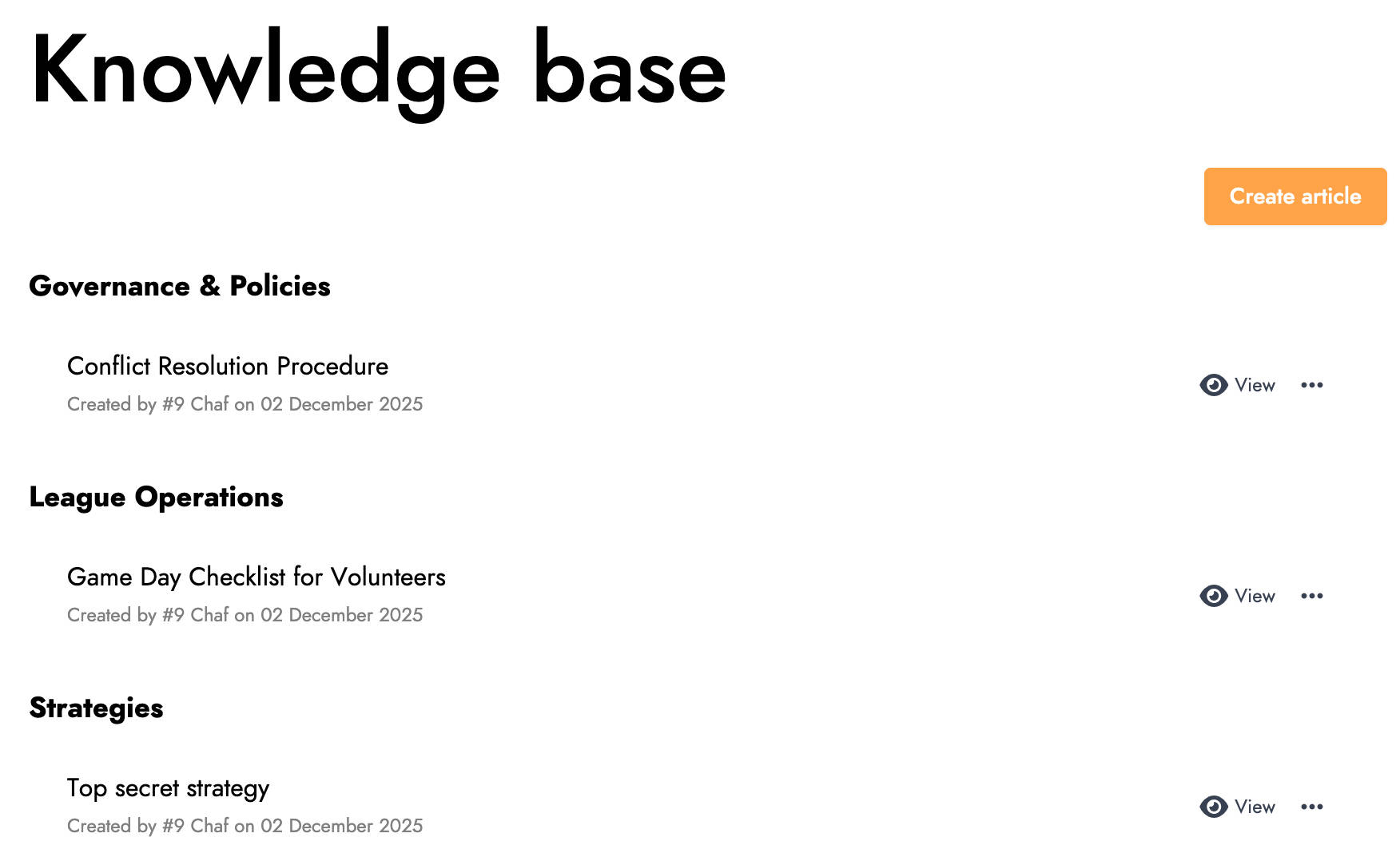
You can view all articles grouped by category. To open an article, click the View button.
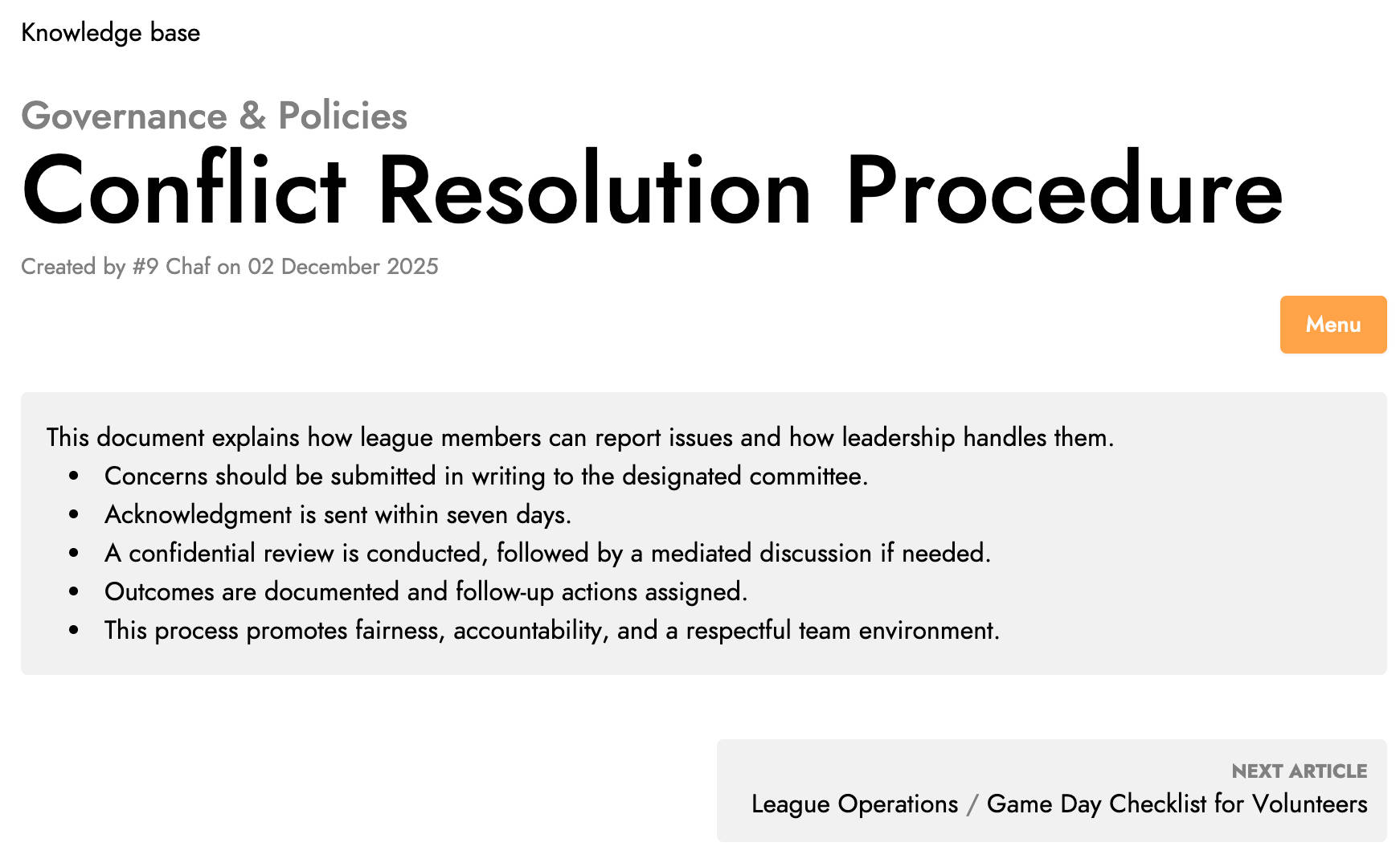
Manage the Knowledge base
To add a new article to the Knowledge base, click the Create article button. A window will open.
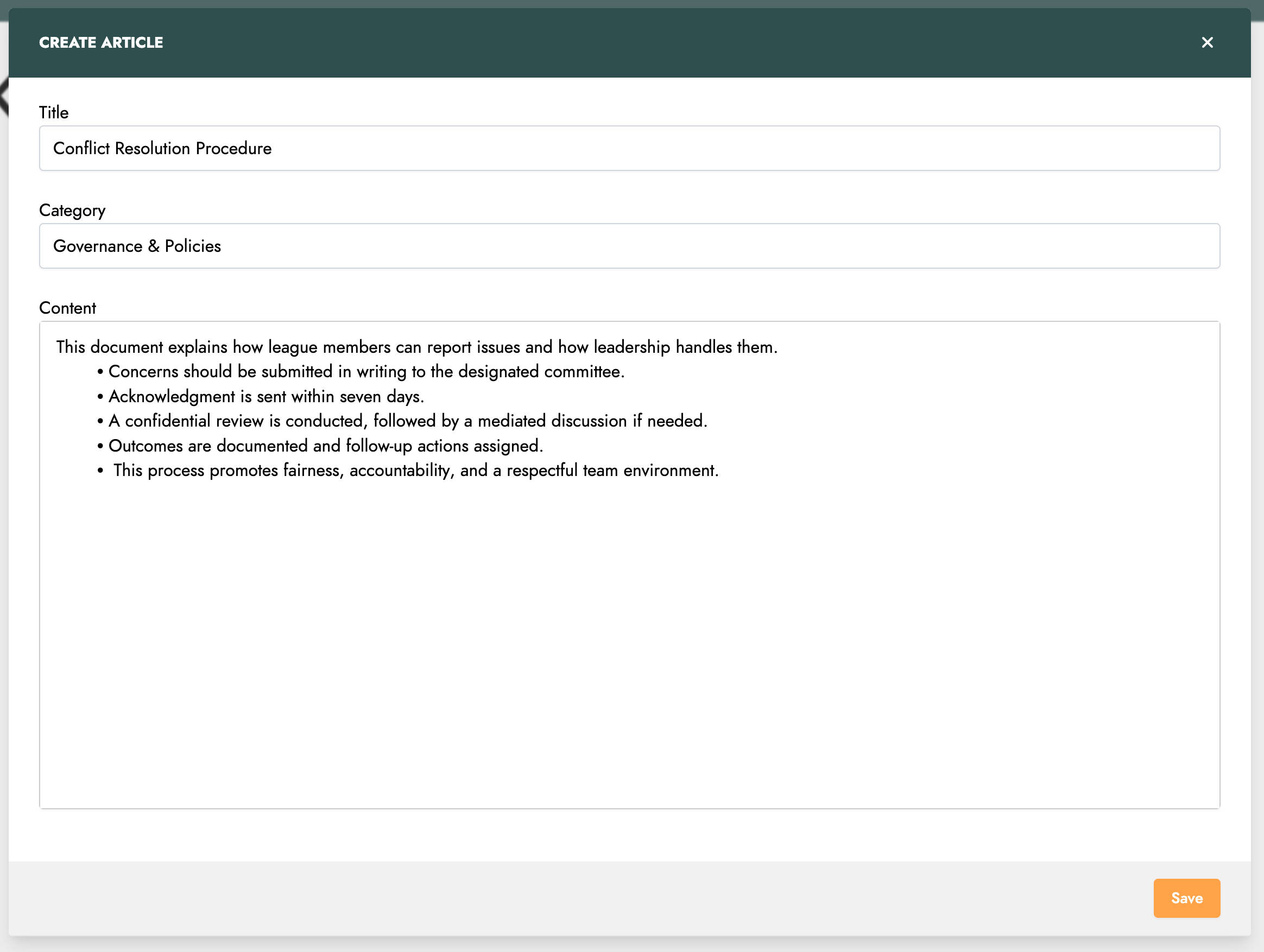
In this window, you must provide a title, a category, and content. Then click the Save button to create your article.