

Updates - October 2026
Published on October 13, 2026
Updates - October 2026
Published on October 13, 2026
The new season is now in full swing, and while you were getting back on track, we kept working on Trackkarma. Let's review the latest developments shipped over the past few weeks!
Improved game notes
Notes are the place to share all the practical information about a game: meeting time, carpooling, last-minute reminders. Until now, each game offered a fixed set of notes: a public note, one per team, one per team's staff and one for officials. Each of them could only hold a single text, and they were all edited together in the same form.
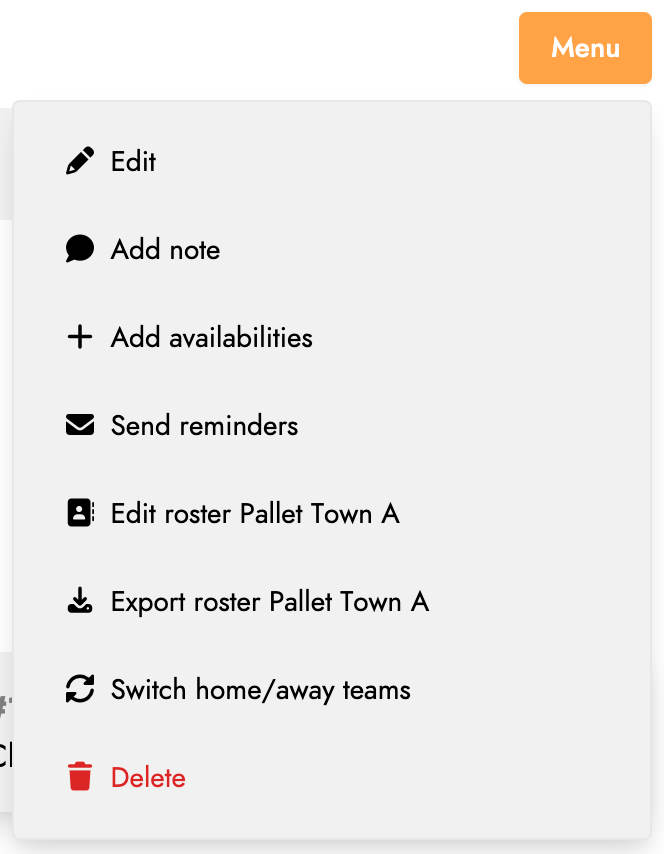
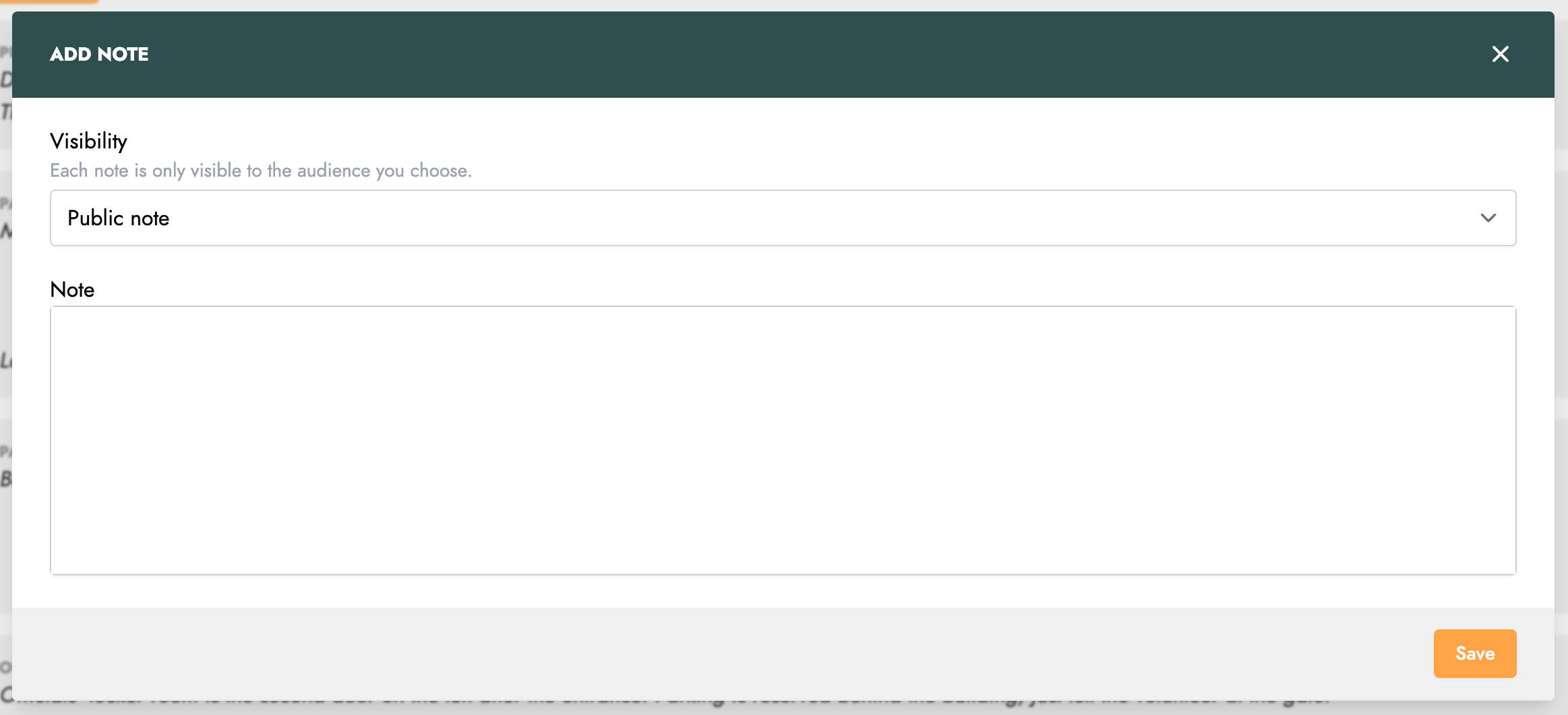
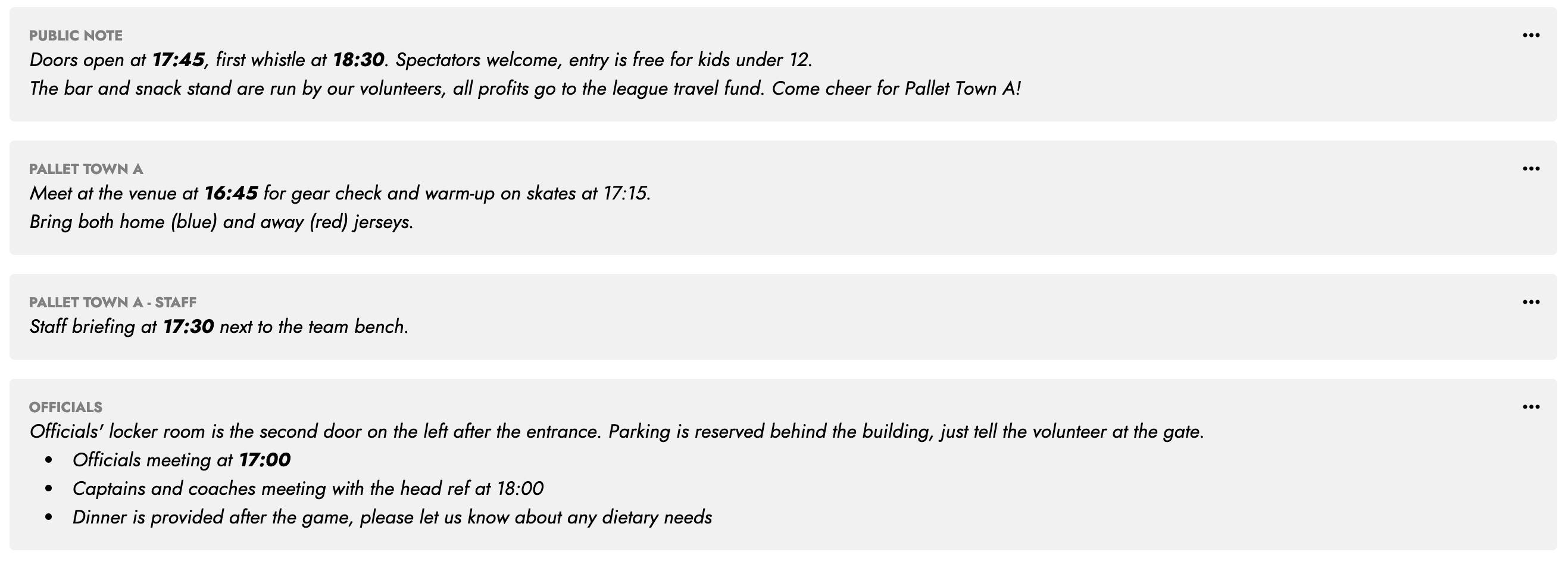
Game notes have been completely rebuilt. You now add them one at a time from the game menu, and choose for each of them who it is intended for: both teams, the members of one team, the staff of one team, or the officials. You can add as many notes as you need for the same audience, and each note can be edited or deleted on its own from its own menu.
When a game opposes two leagues, each of them remains in charge of its own notes: the hosting league writes the public note and the notes for officials, and each league writes the notes of its own teams, which stay private to that league.
Tags in posts
Over a season, posts pile up quickly: practice schedules, tournament information, board decisions... Finding a specific one again could become tedious.
You can now add tags to your posts. As you type, Trackkarma suggests the tags already used in your league, and if none of them fits, a new tag is created in one click.
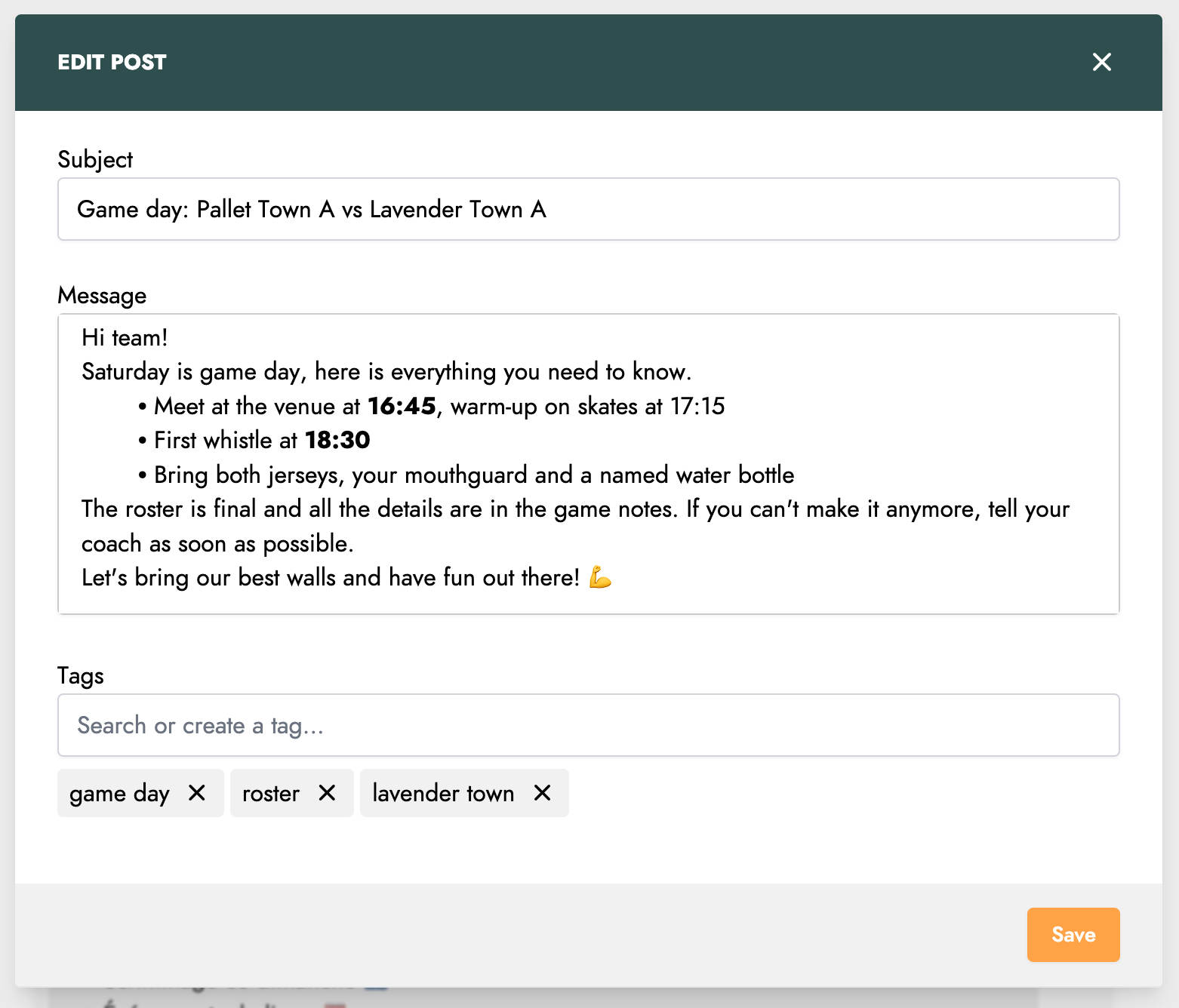
Tags are displayed on every post. Click one of them to list all the posts carrying it, and find everything related to the same topic in an instant.
Deep links
Trackkarma sends you plenty of links: in email notifications, in reminders, or simply shared by a teammate. Until now, tapping one of them on your phone always opened the web app in your browser, even when the Trackkarma app was installed.
From now on, links to games, practice sessions, meetings, posts, chat rooms, teams, groups, tasks and member profiles open directly in the Android and iOS apps, right on the matching screen.
Optional sessions per team
Until now, a practice session was simply attached to one or more teams, and it counted the same way for all of them. Yet the same session rarely carries the same weight for every team invited to it: an extra session open to everyone, a scrimmage your B team is welcome to join but does not have to...
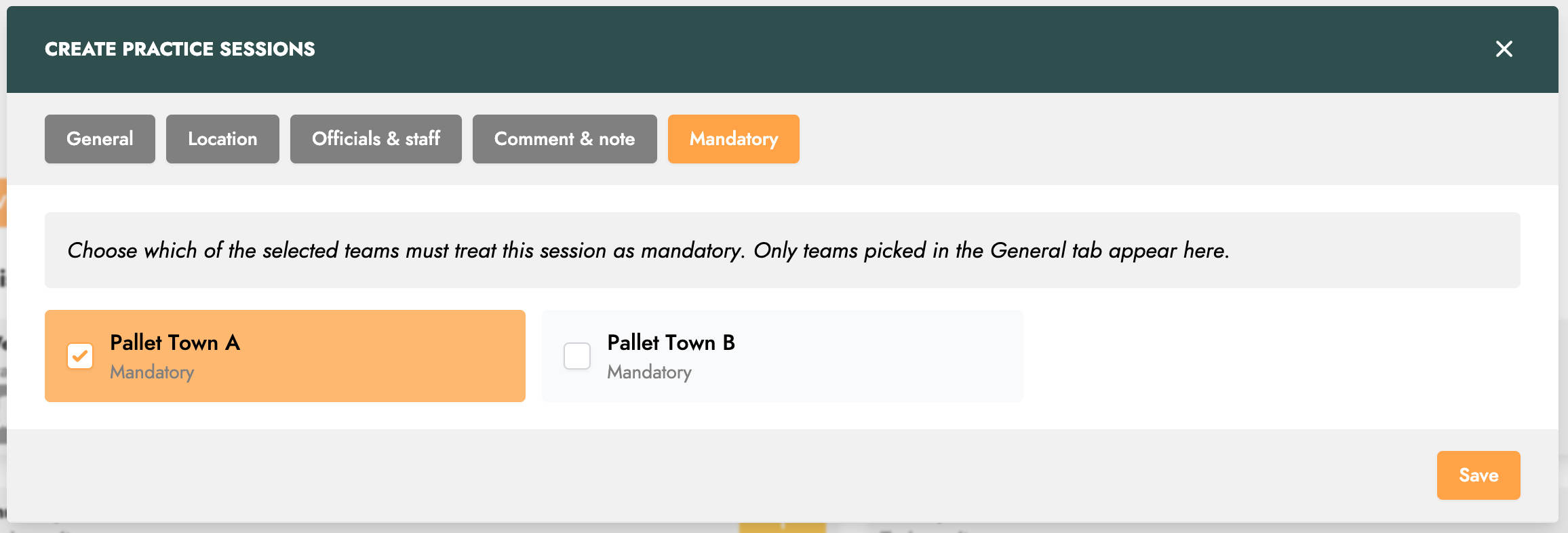
When you create or edit a session, a new 'Mandatory' tab lists every team you selected. Each of them is mandatory by default: simply uncheck the teams for which the session is optional. The choice is made team by team, so a session can perfectly well be mandatory for your A team and optional for your B team.
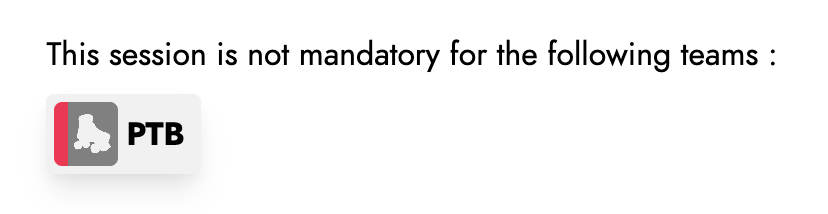
The session page then shows which teams it is optional for. Everything else stays the same: availabilities are still requested, members still answer as usual, and the session still appears in everyone's calendar. Only the way it is counted in attendance changes, and that is where our next feature comes in.
Custom attendance reports
Every league has its own way of counting attendance. Some only count the sessions their team trains alone, others run an optional session that should not drag anyone's percentage down, others still reason in number of sessions rather than in percentage. Until now, Trackkarma computed attendance one single way, the same for everybody.
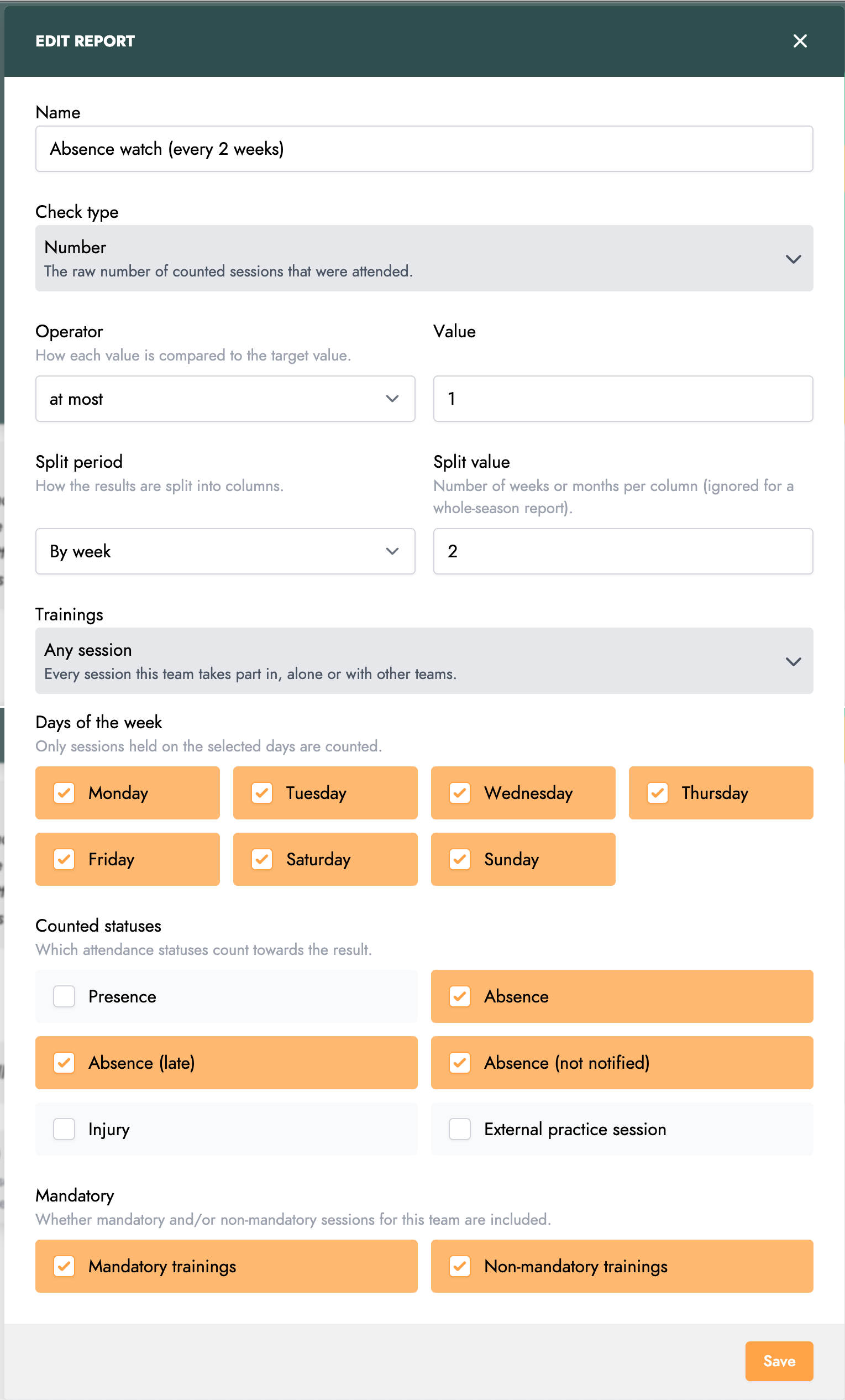
Custom reports, available from the advanced attendance screen of each team, let you write down your league's rule once and consult it all season long. A report checks a percentage or a number of sessions against a target (at least 60%, at most 2 sessions...), over the whole season or week by week or month by month. You choose which sessions are counted (all of them, only those the team trains alone or those shared with other teams, mandatory or not, on specific days of the week) and which statuses count: presence, absence, late absence, injury, and so on.
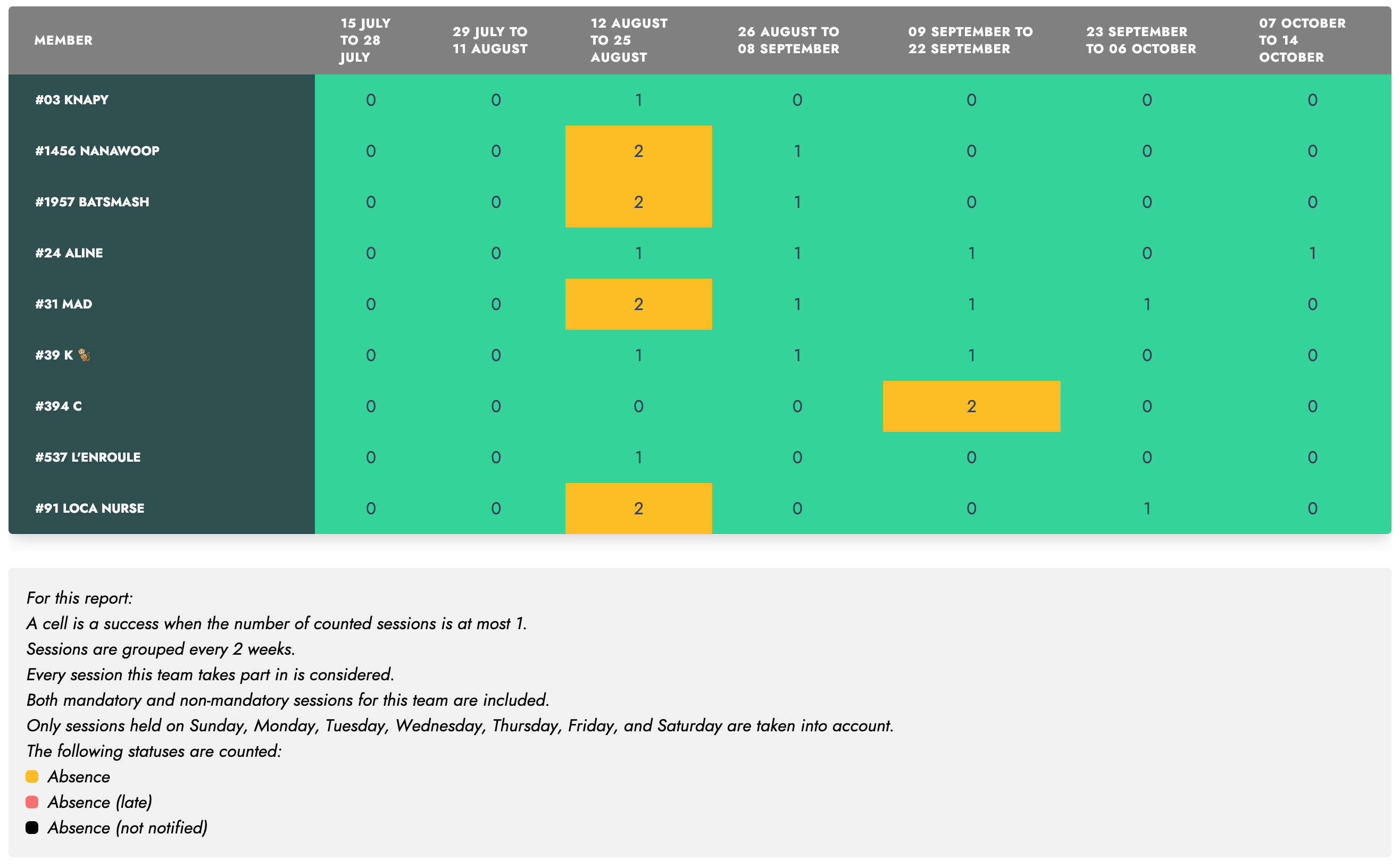
Results are displayed as a grid, with one row per player and one column per period. Each cell turns green when the target is met, and can be clicked to see the sessions behind the number. The whole report can be exported to Excel in one click. Custom reports are available on the web app, for the members holding the advanced attendance permission.
As always, these new features largely come from your feedback. Keep sharing it with us, and have a great season!